
5 Free Plugins That Keep My Mixes Sharp (and Why I Still Use Them)

Updated: Jul 22
I've used these five plugins for years.
They've become part of my everyday mixing workflow.
I still reach for them today.
If you've never tried them, they're all free.
1. GHz Midside Matrix 3 (Goodhertz)
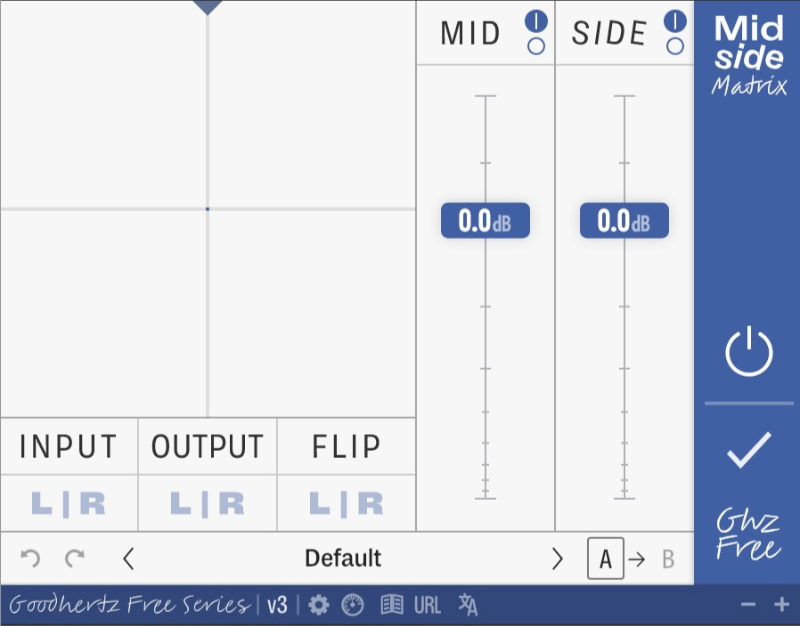
I use Mid/Side Matrix whenever I'm checking a mix.
Towards the end of the process, I'll listen to the mid on its own.
Then I'll listen to just the sides.
I treat them as two separate mixes.
It quickly tells me where the balance is working and where it isn't.
If something needs adjusting, I'll use Mid/Side Matrix on individual tracks to control how much sits in the mid or the sides.
The paid version adds extra controls like Tilt and Side Pan.
They're excellent.
But the free version gives me everything I need for this part of my workflow.
2. Sonalksis FreeG

I use FreeG for all of my volume automation.
That leaves my channel fader free to balance the mix.
If I need to adjust the overall level later, I can do it with the channel fader instead of rewriting automation.
I also like the long fader.
It makes detailed automation much easier to write than Logic's Gain plugin.
It's one of those simple tools that quietly becomes part of your everyday workflow.
3. TDR Kotelnikov (Tokyo Dawn Labs)

Most compressors have a sound.
Kotelnikov doesn't.
That's exactly why I like it.
I use it on my drum bus when I want to control the dynamics without changing the character of the drums.
It glues everything together, but it never feels like it's getting in the way.
There are compressors that add punch.
There are compressors that add colour.
Sometimes that's exactly what I want.
This isn't one of those.
When I just want the drums to feel tighter and more controlled, Kotelnikov quietly gets the job done.
4. Wider (Polyverse Music)

I use Wider when I want to open up the stereo image.
It's become one of my go-to widening plugins.
The thing I like is that it's mono compatible.
I can push a sound's width without worrying about it disappearing when the mix is summed to mono.
As I increase the width, I'll often find little sweet spots where the sound just seems to sit.
Sometimes I'll use it on its own.
Sometimes I'll combine it with other widening techniques.
5. Stereo Tool (Flux)

Every now and then I'll come across a stereo file that's slightly off balance.
When that happens, Flux Stereo Tool is what I reach for.
It lets me adjust the left and right channels independently, making it easy to rebalance the stereo image without affecting anything else.
The built-in vectorscope, phase correlation meter and stereo meters also make it easy to see exactly what's happening.
I don't need it very often.
But when I do, it's the plugin I open.
I've used these plugins for years.
Each solves a specific problem in my workflow.
That's why they're still in my plugin folder.


Comments